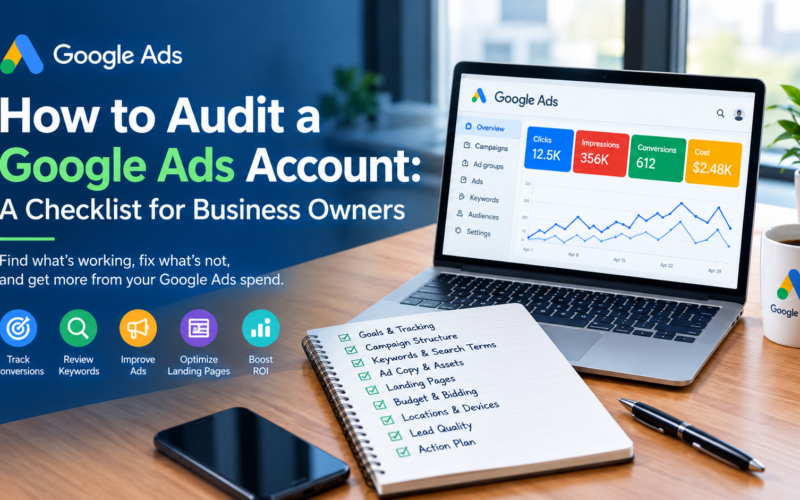
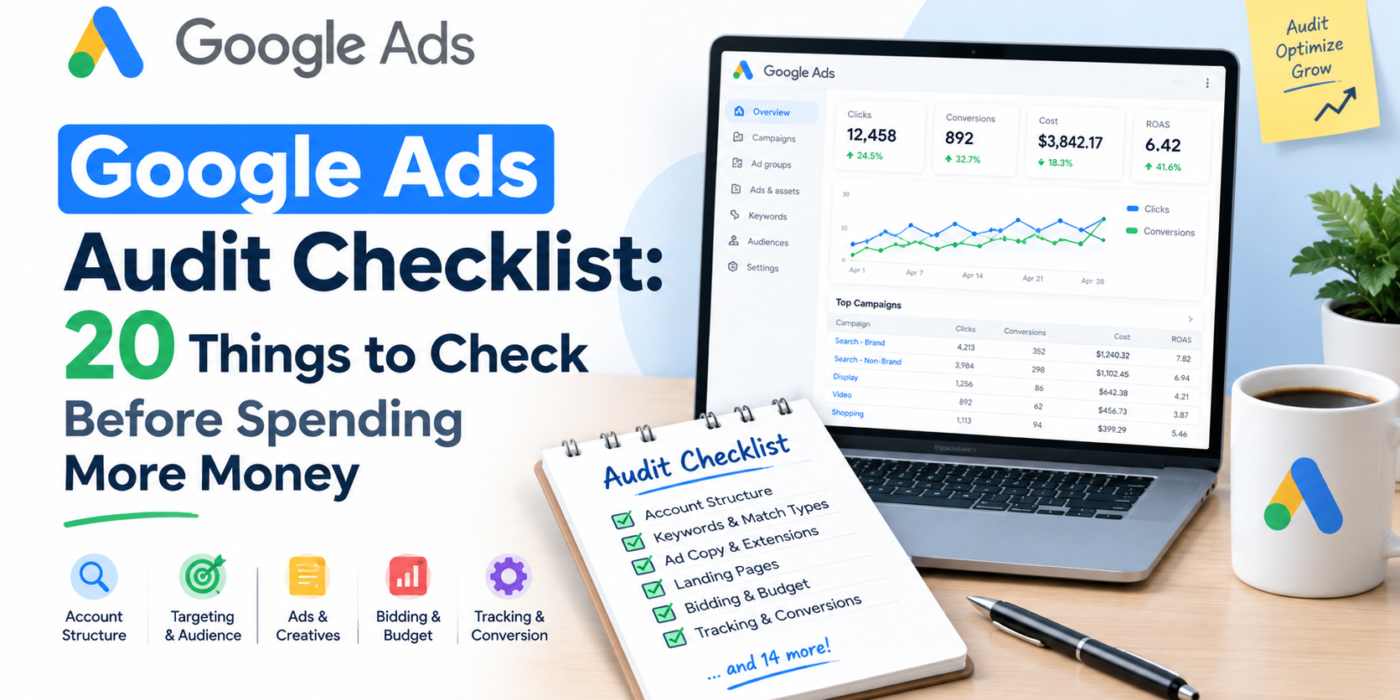
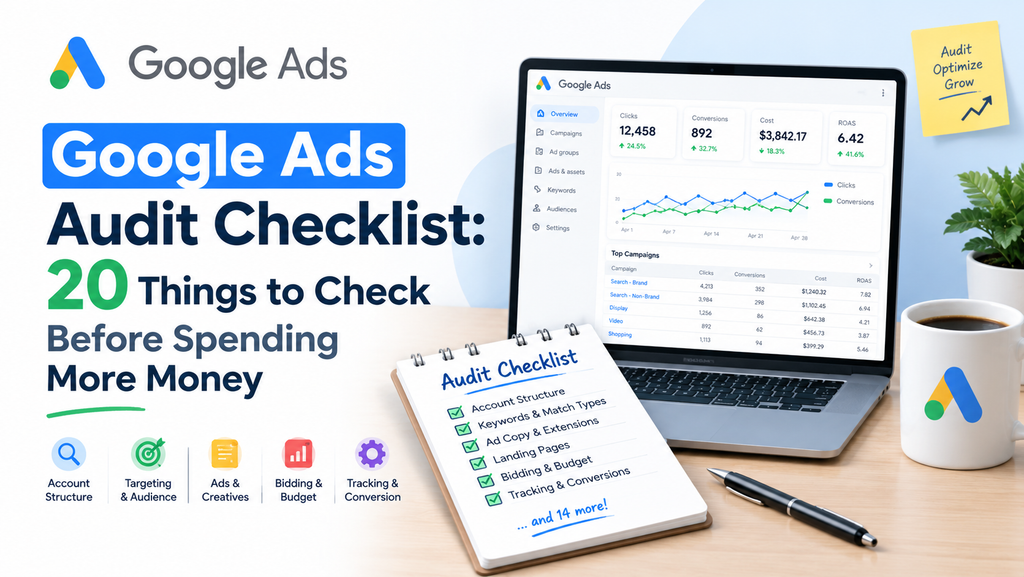
Google Ads Audit Checklist: 20 Things to Check Before Spending More Money
When Google Ads results disappoint, the instinct is usually to raise the budget. But more budget on a broken account just means losing money faster.
A Google Ads audit shows you what is working, what is wasting spend, and what is quietly holding performance back. After more than 17 years managing PPC accounts across e-commerce, healthcare, legal, home services, and professional services, I’ve seen the same issues appear again and again. Most of them are fixable in a day or two.
This checklist covers the 20 things I check first. Work through it in order before you increase spend.
Why You Should Audit Before Scaling
Scaling amplifies whatever is already happening in your account. If tracking is wrong, smart bidding optimizes toward the wrong signals. If targeting is loose, extra budget flows to irrelevant searches. If the landing page doesn’t convert, higher traffic only raises your cost per lead.
An audit gives you a clean foundation, so every extra dollar has a better chance of working.
Part 1: Conversion Tracking and Measurement (Checks 1-5)
Tracking comes first because every optimization decision depends on it.
1. Confirm Conversion Tracking Is Firing Correctly
Check that each conversion action is recording properly. Open Goals > Conversions > Summary and look at the status column. “Recording conversions” is what you want. “No recent conversions” or “Unverified” needs investigation.
Then test it yourself. Submit a form, make a test purchase, or click a call button, and confirm the conversion appears in Google Tag Assistant or your tag manager.
2. Separate Primary and Secondary Conversions
Not every action deserves equal weight. Newsletter signups, page views, and button clicks can sit alongside real leads and sales, and if they’re all set as primary, smart bidding will chase them. Show Image
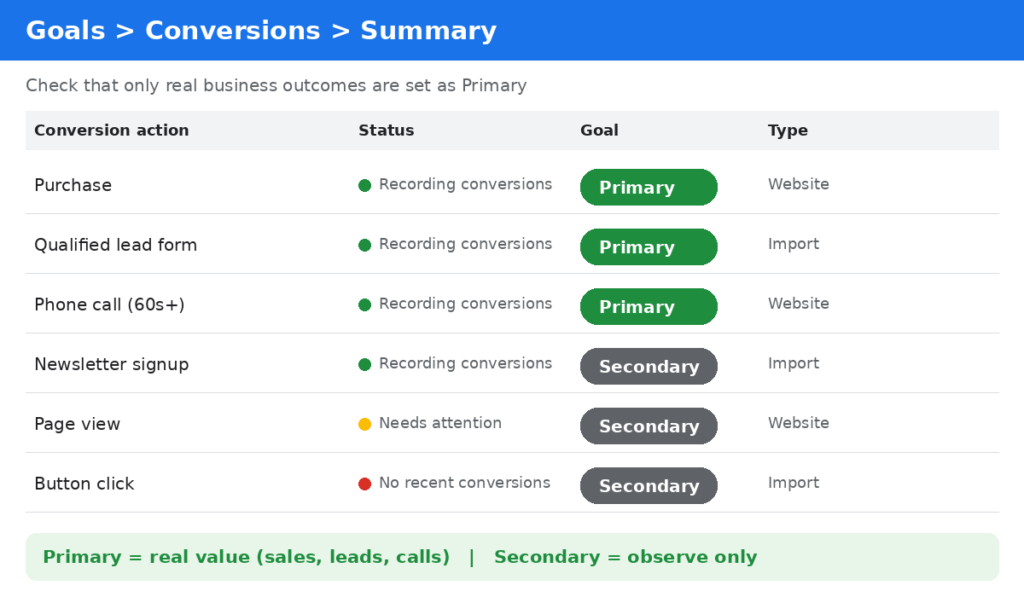
Set only actions that represent real business value (purchases, qualified leads, booked calls) as primary. Keep softer actions as secondary so you can observe them without bidding toward them.
3. Check for Duplicate Conversions
Duplicate tags are common, especially when a site has both a Google Ads tag and imported GA4 conversions counting the same event. If your conversion numbers look suspiciously high compared with real sales or leads, duplicates are a likely cause.
4. Verify Google Analytics 4 and Google Ads Are Linked
Make sure GA4 is linked to your Google Ads account, auto-tagging is on, and audiences and conversions are flowing correctly. Compare the numbers between the two platforms. They will never match exactly, but large gaps point to a tracking problem.
5. Review Enhanced Conversions, Consent Mode, and Attribution
Privacy changes mean browsers and users block more tracking than before. Enhanced conversions and consent mode help recover some of that lost measurement. Also review your conversion window and attribution model, because a window that is too short can undercount conversions for longer sales cycles.
Part 2: Campaign Structure and Settings (Checks 6-10)
6. Match Campaign Structure to Business Goals
Look at how campaigns are organized. Are high-margin products mixed with low-margin ones? Are brand and non-brand keywords sharing a budget? Is one campaign trying to serve five different goals?
A clean structure lets you control budget and bidding where it matters. Separate campaigns by goal, product line, service, or location.
7. Check Network Settings
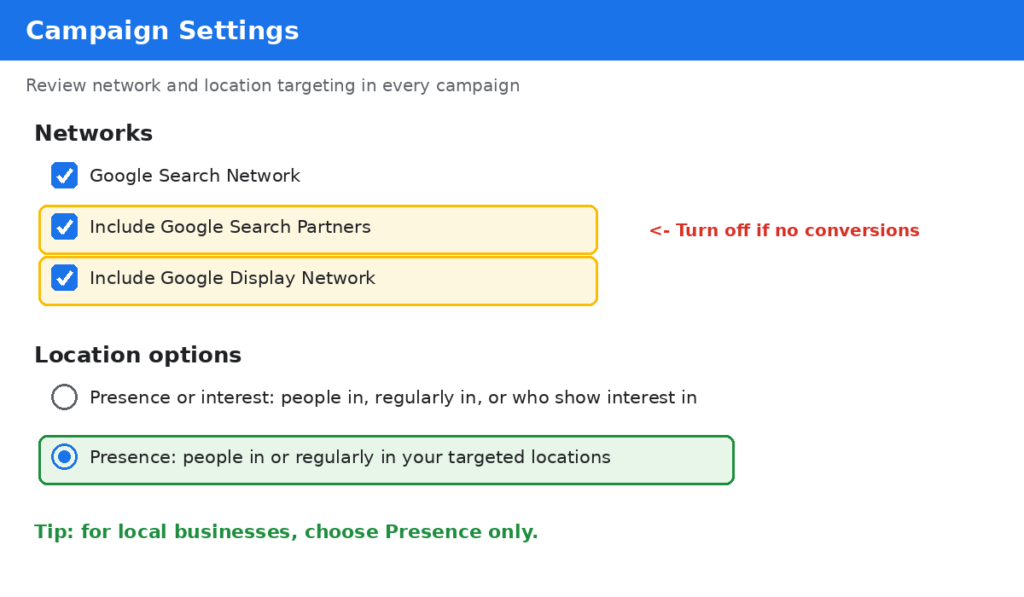
For Search campaigns, review whether Search Partners and Display Network expansion are turned on. These can bring extra volume, but often at lower quality. Check the network segment in your reports. If those networks deliver clicks without conversions, turn them off. Show Image
8. Audit Location Targeting Options
This is one of the most overlooked settings. The default location option can include people who merely show interest in your target location, not just people physically in it. For local businesses, switch to “Presence: People in or regularly in your targeted locations” so you aren’t paying for clicks from outside your service area.
9. Review Ad Schedule and Device Performance
Look at performance by hour, day, and device. If your phone line closes at 6 pm, there may be no reason to bid aggressively overnight. If mobile traffic converts poorly because the landing page is slow, fix the page or adjust bids.
10. Make Sure Bidding Strategy Fits the Data
Smart bidding strategies like Target CPA and Target ROAS need enough conversion data to learn. If a campaign gets very few conversions, a manual or simpler bidding strategy may be steadier. Also check that targets are realistic. Setting a Target CPA far below what the market allows will throttle your impressions.
Part 3: Keywords and Search Terms (Checks 11-14)
11. Read the Search Terms Report Thoroughly
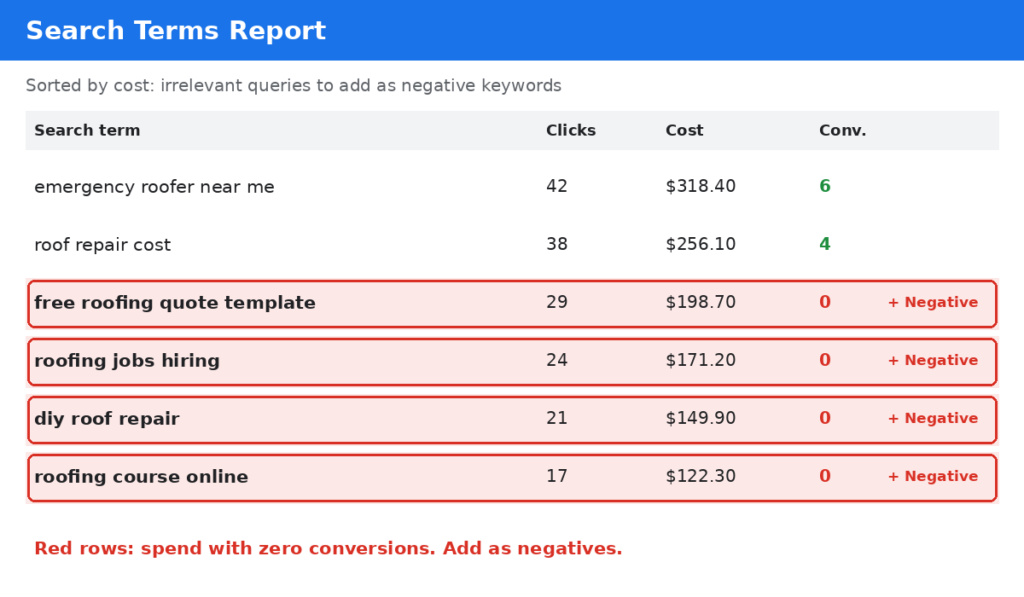
This report shows what people actually typed before clicking your ads. It is often the fastest place to find wasted spend. Sort by cost, then look for irrelevant, informational, or job-seeker queries that consumed budget without converting. Show Image
12. Build and Maintain Negative Keywords
Add negatives at the campaign or account level for terms that never fit your offer, such as “free,” “jobs,” “DIY,” or “course,” depending on your business. Use shared negative lists to keep things consistent, and review the search terms report regularly so the list keeps growing.
13. Review Match Types
Broad match combined with smart bidding can work well when conversion tracking is clean, but it needs close monitoring. If your account relies heavily on broad match without enough negatives or good conversion data, it can drift into irrelevant territory. Check performance by match type and decide where tighter control makes sense.
14. Check for Keyword Overlap and Low Quality Scores
Multiple campaigns bidding on the same keywords can compete against each other and muddy your data. Also review Quality Score components (expected click-through rate, ad relevance, and landing page experience). Keywords with consistently below-average ratings are costing you more per click than they should.
Part 4: Ads, Assets, and Landing Pages (Checks 15-17)
15. Evaluate Responsive Search Ads
Each ad group should have at least one strong responsive search ad with a variety of unique headlines and descriptions. Check that headlines include your main keywords, benefits, and a clear call to action. Avoid pinning too many assets, since it limits Google’s ability to test combinations.
16. Complete Your Assets
Assets such as sitelinks, callouts, structured snippets, call, location, lead form, and image assets expand your ad and improve visibility. Check that they are present, current, and approved. Remove expired offers and outdated promotions.
17. Audit the Landing Page Experience
Even a perfect campaign fails if the landing page is weak. Check that:
- The page matches the ad’s promise and keyword intent
- It loads fast on mobile
- The call to action is obvious above the fold
- Forms are short and easy to complete
- Trust signals like reviews, certifications, and guarantees are visible
If you’re sending all traffic to a homepage, build dedicated landing pages for your main services or products.
Part 5: Budget, Automation, and Account Health (Checks 18-20)
18. Analyze Budget Allocation and Impression Share
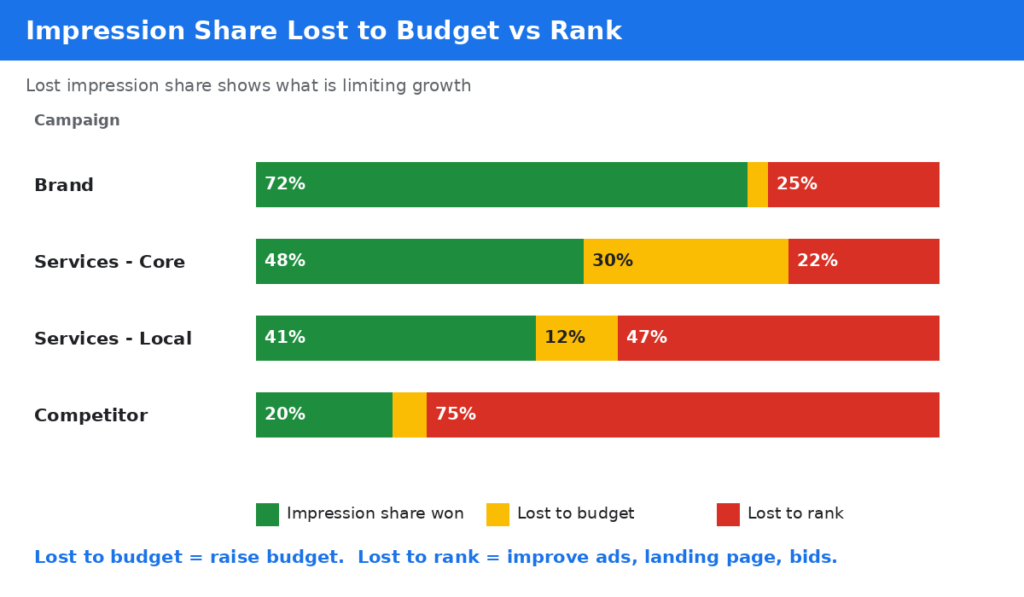
Look at “Search lost IS (budget)” and “Search lost IS (rank).” If you’re losing impressions to budget on your best campaigns while weaker campaigns consume most of your spend, reallocate. If you’re losing to rank, the fix is usually better ads, landing pages, or bids, not more budget. Show Image
19. Review Performance Max and AI-Driven Settings
Performance Max and other automated campaign types can deliver great results, but they need guardrails. Check these points:
- Brand exclusions so you aren’t paying for people who would have found you anyway
- Asset group quality, including text, images, and video
- Audience signals that reflect your best customers
- URL expansion and final URL settings to control where traffic lands
- Search term insights to spot irrelevant themes
For e-commerce accounts, also review product feed quality, titles, and margins by product.
20. Check Account Access, Billing, Change History, and Recommendations
Finally, look at account hygiene:
- Confirm who has access, and remove old users
- Check for disapproved ads or policy issues
- Review the change history for unexpected edits
- Look at auto-applied recommendations and turn off any that change budgets, keywords, or targeting without your approval
How to Prioritize What You Find
You’ll probably end up with a long list of issues. Rank them by impact and effort. Show Image
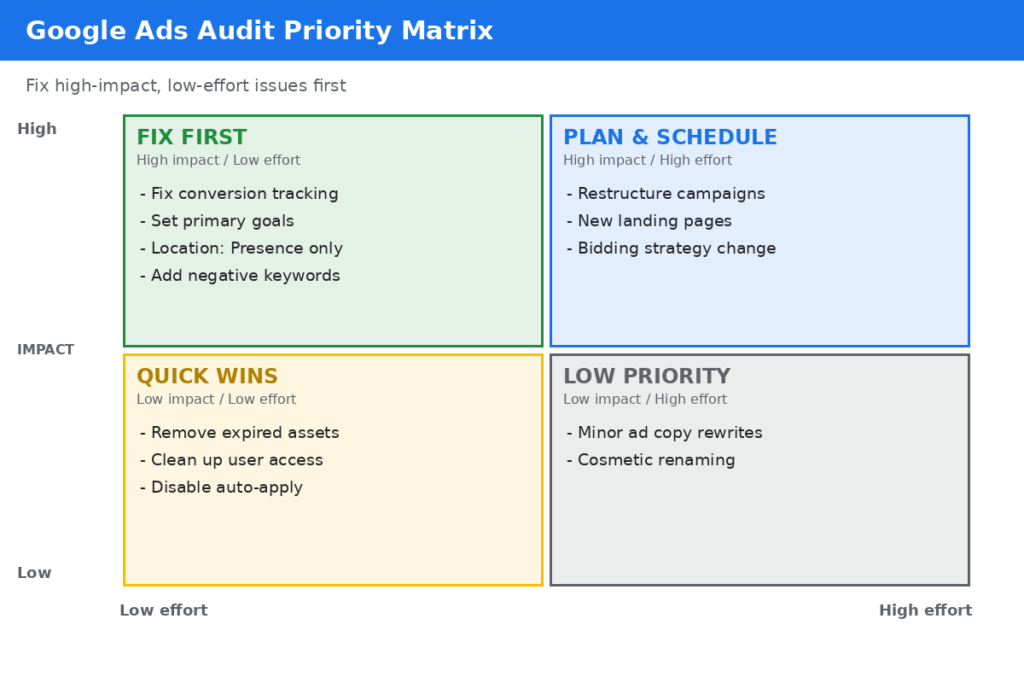
- Fix first: tracking errors, wrong conversion goals, location settings, and obvious wasted search terms. They’re high-impact and quick.
- Fix next: structure, landing pages, and bidding strategy changes.
- Schedule: creative testing and long-term restructures.
Make changes in small batches and record each one, so you can tell what worked.
Common Mistakes to Avoid During an Audit
- Judging performance on too little data
- Changing many things at once, which makes results impossible to interpret
- Pausing campaigns just because of a short bad week
- Ignoring offline factors like seasonality, pricing, or sales follow-up speed
- Trusting platform-reported conversions without checking them against real revenue or leads
Frequently Asked Questions
How often should I audit my Google Ads account?
A full audit every quarter works well for most accounts, with lighter weekly checks of search terms, budgets, and conversions. Audit immediately if performance drops suddenly or before a major budget increase.
How long does a Google Ads audit take?
A small account can be reviewed in a few hours. Larger accounts with many campaigns, shopping feeds, or multiple markets can take several days.
What is the most common problem found in Google Ads audits?
Incorrect or low-quality conversion tracking, followed by loose targeting that lets budget leak to irrelevant searches.
Can I audit my own account?
Yes. This checklist is designed so you can work through it yourself. If you find complex problems or want a second opinion, an experienced PPC specialist can often spot issues quickly.
Should I pause my ads while I audit?
Usually not. Most fixes can be made while campaigns run. Pause only if you find a serious problem, such as broken tracking combined with heavy spend.
Final Thoughts
Before you raise your Google Ads budget, make sure the account deserves it. Clean tracking, tight targeting, relevant ads, strong landing pages, and sensible budget allocation will do more for your results than extra spend ever will.
Work through these 20 checks, fix the biggest problems first, and measure the impact. You’ll often find you can get better results from the same budget, and scaling becomes far safer.
If you’d like an expert to review your account, get in touch for a Google Ads audit.
About the Author (optional)
Fahad Zahid is a freelance Google Ads and PPC specialist with over 17 years of experience, a Top Rated Plus freelancer on Upwork, and manager of 300+ accounts across the UK, US, Australia, and GCC markets. He is Google Ads and Google Analytics certified.